Automate Your Data Management with Phlorin’s Scheduling Feature!
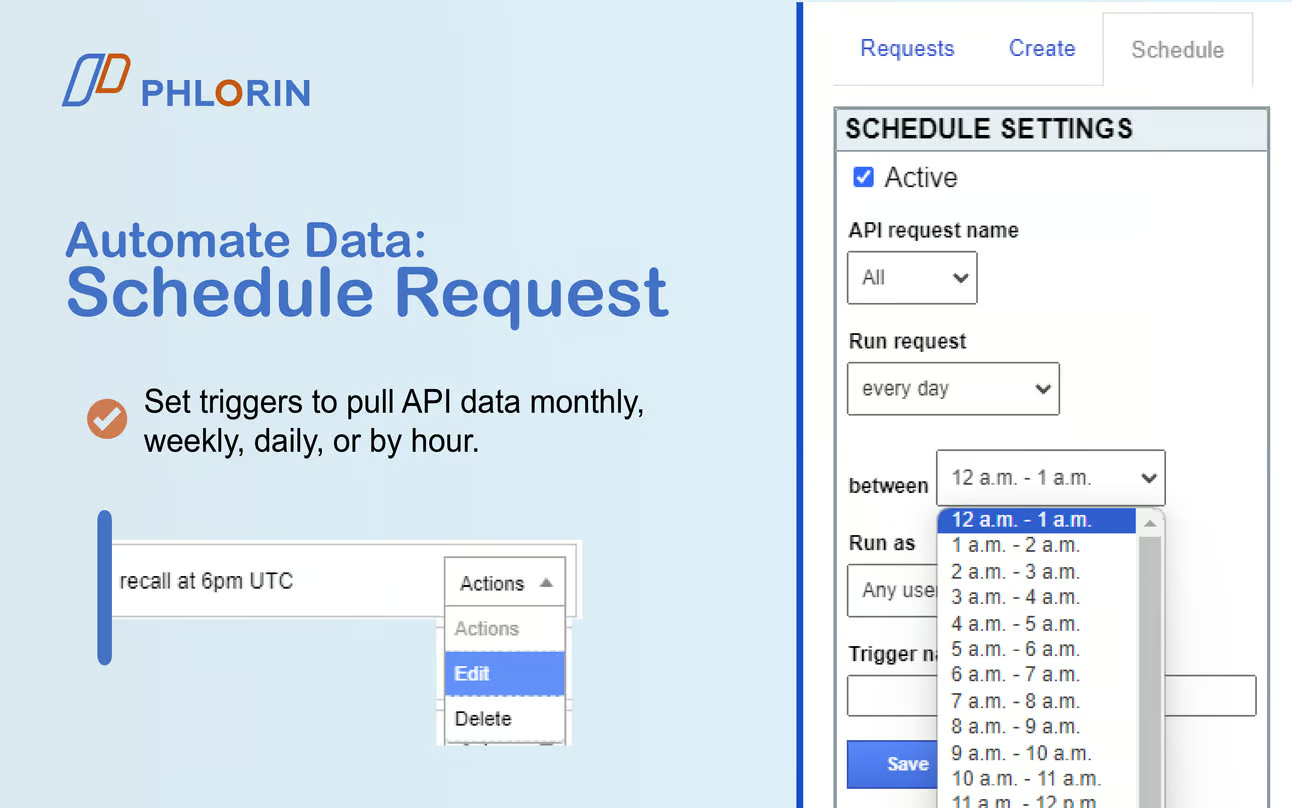
Imagine never having to manually import or update your data again. With Phlorin’s powerful scheduling feature, you can automate data pulls and keep your Google Sheets™ up to date around the clock, without lifting a finger!
Here’s how Phlorin’s scheduling can streamline your workflow:
⏰ Schedule Requests with Ease
Set your data imports to trigger daily, weekly, monthly, or even hourly, ensuring you always have the freshest data at your fingertips.
🚀 Automate Any Workflow
Pull data from any API source, whether it’s sales metrics, financial reports, or CRM data, on a recurring schedule.
📊 Optimize Performance Monitoring
Set up automated requests to keep track of key performance indicators (KPIs) or financial metrics without manual intervention. Have reports delivered exactly when you need them, making it easy to spot trends and make decisions in real-time.
💼 Perfect for Teams
Phlorin’s scheduling feature is a game-changer for teams managing large datasets or multiple data sources. Whether you’re in marketing, finance, or sales, you can automate tedious tasks and ensure your team always has access to the latest insights.

🎁 Start Your Free 14-Day Trial
Phlorin offers a 14-day free trial—no credit card required. Explore the full range of features, including automated scheduling, to see how Phlorin can transform your data management.
Why spend time manually importing data when Phlorin can automate it all for you? Get started today and let Phlorin do the heavy lifting for you: Install Phlorin Now
Best regards,
The Phlorin.com Team

The API Connector Add-on fetches data from thousands of platforms (GA4, Google Ads, Shopify, etc.) directly into Google Sheets. No coding required!